

© 2025 Mister Saad | All Rights Reserved

Dubai Marina

Mobile App Security Checklist for Dubai Businesses
A mobile App Security Checklist in Dubai combines a secure structure, authentication, encrypted communication, protected data storage, careful permissions, secure APIs, dependency management, testing, and ongoing updates. It is important because it protects user accounts, personal information, payment data, and business systems throughout its life. Mobile App Security for Dubai businesses should follow the following checklist before launching their app on either iOS or Android.
The Expertise and Experience of Mister Saad in Mobile App Development and Its Security
Saad is a Mobile App Developer in Dubai who has 18+ years of experience in web and mobile development. He has been advising multiple businesses on mobile app development. Whether you need an iOS or Android application, he will offer a security checklist, from secure coding to ongoing maintenance.
Mister Saad has hands-on experience with applications that involve user authentication, real-time location tracking, map integrations, Firebase, and cross-platform development using React Native. For example, he has developed a comprehensive geolocation-based mobile application that can work on both iOS and Android platforms using React Native. The app consists of real-time location tracking, map navigation, and a Firebase back-end for flawless data synchronisation.
Why Dubai Businesses Need Mobile App Security
They need mobile app security because apps contain highly sensitive information that includes names, phone numbers, addresses, location data, identity information, account credentials, payment information, bookings, orders, and business records. A single security lapse will not only affect the app itself but will also attack the pathway to the business system it is connected to.
The UAE's Federal Decree-Law No. 45 of 2021 concerning the Protection of Personal Data establishes a framework for protecting personal information and includes obligations around securing and maintaining the confidentiality and privacy of personal data. https://uaelegislation.gov.ae/en/legislations/1972/download
For this reason, businesses in Dubai and across the UAE must combine security and privacy alongside app development. For businesses operating in regulated sectors or free zones with additional requirements, legal and compliance requirements should be reviewed for the specific business and data involved.
Identify the Important Data the App Needs
A simple first check is to identify the information the app collects, analyses, saves, and sends elsewhere. Create a data inventory that covers:
● User registration information
● Personal information
● Location data
● Payment-related information
● Uploaded documents or images
● Device information
● Analytics data
● Customer communications
● Business or employee information
● Login credentials and authentication tokens
Then see if all the items are important. If an app only needs approximate location for a particular feature, collecting precise location continuously may create unnecessary risk. Also, if the old customers’ information is intact, it increases the amount of information that needs to be secured. For this reason, collect the useful data that is relevant for the particular purpose. The important information must be saved, and others must be deleted.
Save User Authentication
If an app has weak authentication, it will affect a well-developed structure. A Mobile App Security in the UAE should verify the following:
● Passwords are never stored in plain text.
● Authentication tokens are handled securely.
● Password reset processes cannot be easily abused.
● Sessions expire appropriately for the application's risk level.
● Sensitive actions require appropriate re-authentication or additional verification.
● Multi-factor authentication is considered for accounts containing sensitive information.
● Account lockout or rate-limiting controls help prevent automated attacks.
● Authorization is checked on the server, not only inside the mobile interface.
The last point is very important to check. Hiding an administrative button from a normal user does not make the underlying function secure. If an API accepts an administrative request without independently checking the user's permissions, an attacker may bypass the mobile interface entirely.
Protect the Data Stored on the Device
Mobile apps usually save the data locally to enhance performance or make offline functionality possible. This storage needs a security check. Never keep your personal information in ordinary files, logs, preferences, or databases without a proper protection system. Go through the files where the application stores that information.
● Authentication tokens
● User information
● API credentials
● Cached documents
● Payment-related information
● Application logs
● Temporary files
Use platform security mechanisms that protect the stored information. Android, for example, recommends using application-private internal storage for private data, while Apple's platform provides protected storage mechanisms such as Keychain and Data Protection. Check what happens when the user logs out. The sensitive cached data saved earlier locally shouldn’t be accessible.
Encrypt Data in Transit
The app should secure communication whenever it exchanges data between servers or external services. Check:
● APIs use HTTPS.
● TLS configuration is appropriate.
● Sensitive information is not unnecessarily included in URLs.
● API requests do not expose credentials in logs.
● Certificate validation is correctly implemented.
● Sensitive information is not transmitted through unencrypted connections.
● Development or test endpoints are not accidentally used in production.
Third-party integrations also need secure communication. A mobile application might have a connection with payment providers, mapping services, analytics platforms, CRMs, authentication providers, or other APIs. Every connection can introduce security risks.
Protect Back-end and APIs
If the back-end is not secure, an app is vulnerable to many things. The app must consider a client as an outside and untrusted person. An attacker can do anything such as inspect an application package, modify requests, automate API calls, or attempt to interact directly with backend endpoints.
For each API, check:
● Is authentication required?
● Is user input validated on the server?
● Are requests rate-limited where appropriate?
● Are sensitive records protected from unauthorized access?
● Are administrative endpoints properly restricted?
● Are old or unused API versions disabled?
● Is authorization checked for every sensitive operation?
● Are error messages revealing unnecessary technical information?
Input validation matters across the entire ecosystem. OWASP's Mobile Application Security Verification Standard includes controls covering input validation, authentication, network communication, secure storage, platform interaction, code quality, resilience, and privacy.
https://www.appknox.com/cyber-security-jargons/masvs
Dubai businesses investing in app development must ask the question about back-end API security as they would ask about mobile interface security.
Evaluate App Permissions
The app must ask for the permissions it actually requires. Review permissions for:
● Camera
● Microphone
● Location
● Contacts
● Photos and files
● Bluetooth
● Notifications
● Phone or messaging-related functions
For every permission, ask why the app feature requires this permission and what will happen if the user doesn’t provide it. Request permissions only where they are needed instead of requesting everything as soon as the app opens. It not only enhances privacy but also makes it easier for users to understand permissions. Android has been working on this to avoid asking unnecessary permissions and to request only those that are needed for the application’s core functionality.
Protect API Keys and Secrets
Putting secrets inside a mobile application is never a secret. The app package can be inspected. Developers should therefore never integrate sensitive server credentials, private keys, database passwords, or unrestricted API secrets directly in the application. Rather do:
● Rotate exposed credentials.
● Rotate exposed credentials.
● Review build files before release.
● Remove development credentials from production builds.
● Keep sensitive credentials on trusted backend infrastructure.
● Restrict API keys by platform and purpose where supported.
If the third-party asks for credentials that have to be kept secret, think about whether the request should be made through a controlled back-end or should be directly placed in the application.
The Third-party SDKs and Dependencies Should Remain Updated
Apps today are mostly dependent on external libraries and SDKs for analytics, payments, maps, authentication, notifications, advertising, crash reporting, and other functionality. Every dependency adds another element that must be checked. Before launching the app:
● Create an inventory of third-party dependencies.
● Remove libraries that are no longer required.
● Keep supported libraries updated.
● Monitor security advisories.
● Review permissions and data access of SDKs.
● Understand what information third-party services receive.
● Check that development tools and build dependencies are also maintained.
It is very important because any vulnerabilities can enter the app through dependencies rather than through code that has been written by the development team.
Protect Against Reverse Engineering and Tampering
Compiled code can be inspected in a mobile application. Depending on the risk profile, security measures could be:
● Code obfuscation where appropriate
● Removal of debugging functionality from production builds
● Protection of sensitive application logic
● Detection or mitigation of tampered application packages where justified
● Secure handling of cryptographic keys
● Server-side verification of important transactions
They should not replace back-end authorisation, but rather support it effectively. For example, hiding a discount calculation inside the app does not prevent manipulation if the backend blindly accepts the final price sent by the client.
Test Deep Links, WebViews, and External Interactions
Mobile apps usually connect with websites through deep links, intents, universal links, custom URL schemes, and WebViews. These integrations also need security checks. Check whether:
● Untrusted URLs can open privileged screens
● WebViews load only appropriate content
● JavaScript interfaces are properly restricted
● External applications can invoke sensitive functionality
● Data passed between apps is appropriately protected
● Deep links can trigger sensitive actions without authentication
OWASP specifically identifies insecure deep links and unsafe WebView configurations among mobile application weaknesses worth testing.
Check Security on both iOS and Android Apps
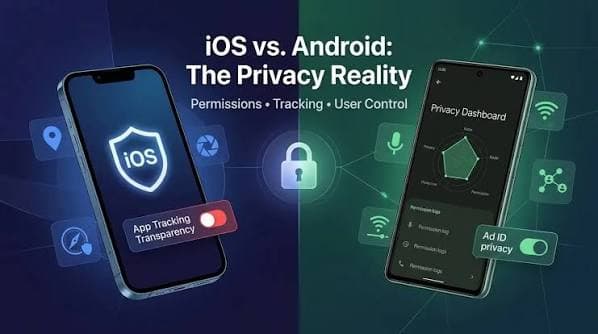
Every platform should be supported by security checks that the business uses. iOS and Android have different operating-system security models, APIs, permissions, storage mechanisms, and application behaviours. A control that is effectively implemented on one platform doesn’t mean to work on the other platform.
The iOS project needs the following areas to be reviewed
● Keychain usage
● Data Protection
● App Transport Security
● Permissions
● Universal links
● Secure credential handling
● Production build configuration
The Android project needs the following areas to be reviewed
● Application permissions
● Secure storage
● Exported components
● Intents
● Network security configuration
● WebViews
● Deep links
● Dependency versions
If you need an iOS project, you can see detailed context about iOS App Security and Development here for platform-specific content.
Plan a Security Check After the App Launch
Security is an ongoing process and doesn’t end at the launch of the app, either on the App Store or Google Play. After launch, businesses should work on:
● Updating dependencies
● Applying security patches
● Rotating credentials when necessary
● Responding to reported vulnerabilities
● Updating supported OS versions
● Reviewing third-party integrations
● Testing significant new features
● Monitoring application errors and suspicious activity
● Reviewing newly disclosed vulnerabilities
A maintenance plan becomes important when the app consists of users’ information and business systems.
Dubai Businesses Should Review Privacy and Data Flows
For Secure Mobile App Development, technical controls should be given importance alongside applicable privacy obligations. Identify where the personal information is heading:
Mobile app → API → Cloud/server → Third-party services → Business systems
Then document:
● • What data is collected
● Why it is collected
● Where it is stored
● Which providers process it
● Who can access it
● How long it is retained
● How it is deleted
● Whether information is transferred outside the UAE
● What contractual or regulatory requirements apply
What Are the Common Mobile App Security Mistakes
Some mistakes arise from the convenience of the development stage. Avoid them:
1. Saving passwords locally: authentication credentials must not be treated as ordinary application requests.
2. Trusting the mobile customer: critical information and authorisation must be kept on the server side.
3. Hardcoding secrets: Assume anything shipped inside the application package could eventually be inspected.
4. Collecting unnecessary data: More data means more security protocols.
5. Ignoring third-party SDKs: Dependencies can introduce privacy risks.
6. Testing only the interface: Security testing must include APIs, authentication, storage, network communication, and backend authorization.
7. Treating launch as the end: Security needs ongoing updates and monitoring.
Key Takeaways
A mobile app is built through multiple small decisions rather than focusing on one feature. The guide explains all the security checks Dubai businesses must use during planning, development, pre-launch testing, and future updates. The apps that connect to important business systems or have sensitive personal information should additionally implement applicable UAE privacy requirements.
FAQ's
What is mobile app security?
+What is a security checklist for apps?
+Is HTTPS enough to secure the app?
+Should mobile apps store customers’ data locally?
+When can I start security testing?
+






Leave a Reply