


© 2025 Mister Saad | All Rights Reserved

Dubai Marina

User Experience (UX) Design in Mobile Applications: Best Practices
Apps are used to shop, communicate, bank, learn, and be entertained, among many other things. Users have many alternatives, so they leave any app that seems slow or cumbersome quickly. That is the reason mobile app UX design is one of the key elements for a successful application. At the same time, a properly made application will increase user satisfaction and engagement, conversion to buying products or services, and loyalty.
Now, good UX also translates to less retention and conversions for the business itself. Developers and designers need to cater to users for ease of navigation, speed testing, and transparency. In this article, we break down the best mobile UX design principles, practices, and guidelines that lead to really great experiences in today's mobile application design.
Why UX Design Matters in Mobile Applications
Before going through the mobile app design guidelines, you should understand the importance of UX design in mobile apps.
Mobile applications are powered by user experience in a major way. If an app is good and people like it, they will use it again. On the other hand, poor design makes your users annoyed, and uninstalling has a surprisingly high rate. A better user experience means a happier customer, and a happy customer results in business growth.
This enables users to accomplish their tasks as fast and smoothly as possible without any confusion. Modern users expect applications to be simple, fast, smooth, and pretty. Rapid, Unambiguous interface elements: In this modern world, easier navigation, clear layouts, and smooth performance enhance the overall user experience.
Companies emphasized UX with a unique focus are likely to improve user interaction, gain more trust, and boost customer retention, maintaining loyalty in the long run.
Benefits of Strong UX Design:
● Better user engagement
● Higher app retention
● Increased customer trust
● Improved conversion rates
● Positive app reviews
When businesses follow proper UX design best practices, users stay connected with the platform for a longer time.
Impact on Business Success:
Good user experience improves revenue generation and customer loyalty. Successful user experience mobile apps care deeply about usability testing & customer feedback. Good experiences translate into more downloads, more references.
Understanding User Needs Before Designing
Knowing your audience is the golden rule for building any successful application. Layout and features should not be done hasty but after studying user behavior, preferences, and common issues. Work like this can help in building applications that matter to user needs and don't?
By knowing the expectations of users, app designers work toward a more realistic approach and thus give solutions to their end-users. It later helps for fewer design errors with improved quality of the product as well. It ensures that everything you do is either effective or beneficial to the user experience. This results in apps that require less maintenance, are simpler to use, and have a higher resonance for solving real-world user problems.
Important Research Methods:
User Interviews: Talking directly with users helps designers understand expectations and frustrations. This creates more user-focused experiences.
Surveys and Feedback: Online surveys provide useful information about customer needs and app performance.
Competitor Analysis: Studying competitor apps helps identify strengths, weaknesses, and market trends.
| Research Method | Main Purpose | Benefit |
|---|---|---|
| User Interviews | Understand behavior | Better personalization |
| Surveys | Collect opinions | Improved decisions |
| Competitor Analysis | Study market trends | Stronger strategy |
| Analytics | Track usage patterns | Better optimization |
Research forms the foundation of effective strategies for user experience mobile apps.
Some Recommended UX Design Best Practices
The following are the best mobile UX design principles every business owner should consider while creating an app for their business.
1. Keep Navigation Simple and Clear
This mobile design positions itself in one of the powerful category is, Mobile UX Navigation. The app should not allow users to get lost. Users will leave because they feel frustrated with complicated menus, since you are providing your data until October 2023. Deep navigation allows the user to perform actions in the fastest way.
Best Navigation Practices:
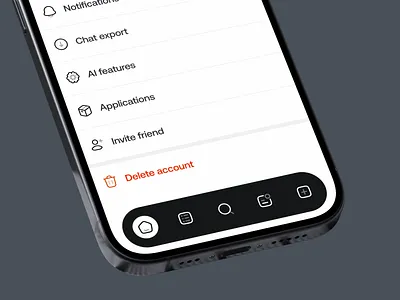
Use Familiar Patterns: As users already know, mobile navigation patterns like bottom tabs and hamburger menus are. Using patterns you are comfortable with reduces the learning curve.
Reduce Too Many Options: If you have too many items in your menu, it confuses people. Simple: In this step, put only what needs to be there.
Make Buttons Easy to Tap: Buttons to be clicked on should be big enough for you to touch with your fingers. Hit areas are smaller, and this becomes a usability problem.
Add Search Features: Search bars are good for more than just getting your users to the content they want with the least effort, it is also accessibility focused.
Familiarity is one of the core principles of mobile UX design that successful apps possess.
Familiarity is one of the core principles of mobile UX design that successful apps possess.
2. Focus on Clean, Visual Design
Visual design strongly influences first impressions. Clean layouts and balanced visuals make applications look professional and trustworthy. A cluttered interface can overwhelm users and reduce engagement.
Important Visual Design Elements:
White Space: Proper spacing improves readability and creates a cleaner appearance.
Consistent Colors: Using a consistent color palette builds brand recognition and improves design harmony.
Readable Typography: Fonts should be easy to read on small screens. Avoid overly decorative text styles.
High-Quality Icons: Icons help users understand actions quickly. They should remain simple and recognizable.
| Visual Element | Best Practice | Result |
|---|---|---|
| Typography | Use readable fonts | Better readability |
| White Space | Avoid clutter | Cleaner layout |
| Colors | Keep consistency | Strong branding |
| Icons | Use simple visuals | Faster understanding |
These techniques are part of important mobile app design guidelines used by professional UX designers.
3. Improve App Loading Speed and Performance
Performance contributes to half of the mobile user experience, as users expect applications and websites to load quickly (2-5 seconds) and work seamlessly. Making slow apps is probably the most frustrating thing as they are to use and more likely to be abandoned.
Also, decrease animations that are not needed. This is significant for low-end mobile devices. We can also magnify the benefits of loading and response time with fast backend systems, efficient servers, or even a database.
In addition, users can still perform certain functions of the app even when they are disconnected from Wi-Fi with offline access features. Faster execution of your mobile app is likely to be an enhancement of comprehensive usability improvement that will help users accomplish their tasks efficiently-and completed task without interruption or stalling.
4. Design for Different Screen Sizes
Mobile devices come in many sizes. Applications should work properly across smartphones and tablets. Responsive design improves accessibility and user satisfaction.
Important Responsive Design Tips:
Flexible Layouts: Layouts should automatically adjust to different screen dimensions.
Touch-Friendly Elements: Buttons and interactive features must remain easy to use on all devices.
Test on Multiple Devices: Testing helps identify display issues before launch.
Maintain Consistency: The app should provide the same experience across platforms.
Responsive layouts are essential in modern mobile app UX design because users access apps from many devices.
5. Create Smooth Onboarding Experiences
The onboarding process introduces users to the app. A poor introduction can cause users to leave immediately. Good onboarding should remain simple and informative.
Best Onboarding Practices:
Keep Instructions Short: Do not bore the users by providing lengthy explanations.
Highlight Main Features: Keep it to the most useful functions of the app only.
Use Visual Guidance: Use illustrations and tooltips to make onboarding easy.
Allow Skipping: Many users prefer to explore the app on their own.
Good onboarding can drive retention and help engagement.
6. Use Accessibility Features for All Users
Accessibility is a way to allow applications to be usable by people with various levels of abilities. Vanity designs enhance user experience. Not considering accessibility results in a smaller audience.
Important Accessibility Features:
Voice Support: Voice commands help users with visual or physical limitations.
High Contrast Colors: Good contrast improves readability for visually impaired users.
Text Resizing: Users should be able to adjust text size easily.
Screen Reader Compatibility: Apps should support screen readers for navigation assistance.
Accessibility is an important part of UX design best practices because it improves usability for everyone.
7. Maintain Consistency Throughout the App
Consistency helps users understand how the app works. When layouts and actions remain predictable, users feel more comfortable. Inconsistent designs create confusion and reduce trust.
Areas That Need Consistency:
Design Elements: Buttons, fonts, and icons should follow the same style.
Navigation Patterns: Menus and navigation systems should work similarly across all screens.
User Interactions: Actions should produce predictable results every time.
Brand Identity: Colors and visuals should reflect the same brand personality.
Consistency strengthens usability and improves user confidence in the application.
8. Use Feedback and Microinteractions Effectively
Users need confirmation when performing actions inside an app. Feedback improves communication between the system and the user. Microinteractions make user experience mobile apps feel more responsive and interactive.
Examples of Helpful Feedback:
Loading Indicators: Progress bars reduce uncertainty during loading processes.
Success Messages: Confirmation messages reassure users that tasks were completed successfully.
Error Notifications: Clear error messages help users solve problems quickly.
Interactive Animations: Small animations create more engaging experiences.
Well-designed feedback systems are part of modern mobile UX design principles because they improve usability and satisfaction.
9. Test and Improve UX Continuously
Teaching UX design is a continuous practice. Even apps that are well-designed need to be tested and updated on a regular basis. Continuous improvement keeps them competitive.
Effective UX Testing Methods:
Usability Testing: Real users, real problems: You watch someone struggling with the app, and you know that they just experienced a usability abomination.
A/B Testing: It is better to compare two design versions, and it helps us get a good solution.
Analytics Monitoring: Analytics: Analytics displays how users interact with the app.
User Feedback Reviews: You can take inspiration to improve from reviews and ratings.
With regular updates, businesses can keep people engaged and then run further down the line.
Common UX Mistakes to Avoid
Many apps fail because of avoidable UX mistakes. Understanding these issues helps designers create better experiences.
Frequent UX Problems:
Overpopulated interfaces: When there are too many things on one screen, it creates a full and unmastered app.
Navigation problems: If the app is not structured properly, the user would face a difficult time finding somewhere in the menu or moving through apps.
Over notification: A well-timed push notification can get a user hooked, but frequent alerts may irritate users.
Low color contrast: Businesses often do not consider that low contrast between text and backgrounds makes it harder to read and affects accessibility.
Sluggishness of load speed: If your app delays in its responses, then users get frustrated and uninstall it immediately.
Long signup forms: Long registration processes demotivate users from registering.
Inconsistent layouts: Users become confused and less likely to trust your site when the design style differs between screens.
Touch targets: Small buttons or links make it challenging to click accurately on phones.
These problems frustrate users and reduce app retention. Many users uninstall apps after only one poor experience.
How to Prevent Them
Regular testing, user feedback, and performance optimization help reduce usability issues. Avoiding these mistakes improves both customer satisfaction and app performance.
Conclusion
User experience has played a vital role in the success of mobile applications. In the present, users expect applications to be fast, simple, easy-to-use, beautiful, and accessible on every device. Companies that neglect UX like the plague end up with low engagement and mass uninstalls. Adhering to ideal mobile app UX design ways will support a sturdy bond with users and long-term growth.
These practices include responsive layouts, simple navigation, accessibility features, and ongoing testing that result in better experiences. Companies should stick to user needs instead of extra features. Utilizing good UX design principles, a proper mobile application speaks to the users, upholding retention in business and flourishing within this continuously growing digital market. So, contact a professional freelance App Developer in Dubai, Mister Saad!
FAQ's
What is mobile app UX design?
+Do you know why is UX very essential in mobile apps?
+What are the main mobile UX design principles?
+In what way can businesses enhance mobile app UX?
+







Leave a Reply